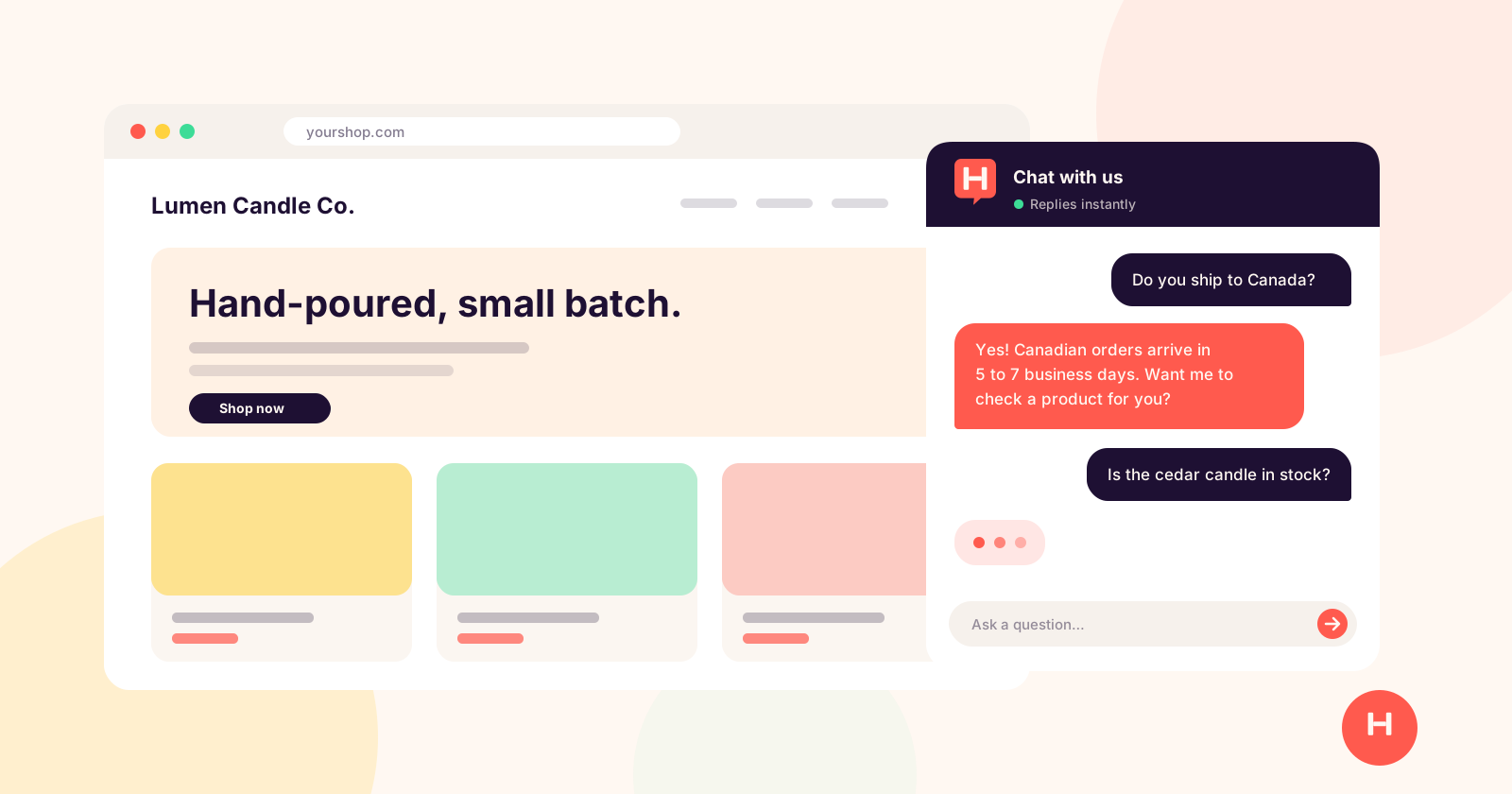
If you run a small business, you already know which questions you answer every day. Do you ship to Canada? What are your hours? Is this in stock? How do returns work?
You answer them by email, by DM, and on the phone. The answers are already on your website. Customers just don't find them, or don't want to look.
An AI chatbot is a small chat window on your website that answers those questions for you, around the clock, using the information you already have. Done well, it feels like a helpful person on your team. Done badly, it feels like a phone tree.
This guide covers what a chatbot can and can't do for a small business, the handful of features that actually matter, what the popular options cost in 2026, and how to get one running without a developer.
Quick take: pick a chatbot that learns from your own website, hands visitors to you when they ask for a person, and charges a flat monthly price. For most small businesses, that covers most of what matters.
What an AI chatbot actually does for a small business
A modern AI chatbot reads your website, your FAQs, and any documents you give it. When a visitor asks a question, it writes an answer in plain language based on that material.
That is different from the old style of chatbot you may have tried a few years ago, where you had to build every question and answer by hand as a decision tree. Today's AI chatbots don't need a script. They work from your content.
In practice, a good one handles three jobs:
- Answering repeat questions. Shipping, pricing, hours, returns, sizing, booking. The questions that eat your inbox.
- Helping visitors decide. "Which candle is best for a small room?" or "Do you work with renters?" A chatbot can point people to the right product or service while they are still on your site.
- Getting a person involved when it matters. Some questions need you. A good chatbot recognizes that and hands the conversation over instead of guessing.
What it won't do: replace you. It won't fix a broken order or negotiate a custom quote. It handles the routine so your time goes to the conversations that need a human.
The 6 things that matter (and 3 that don't)
Most chatbot comparison pages list dozens of features. For a small business, a short list decides whether the tool is worth it.
What matters
1. It learns from your own content. You should be able to point it at your website, upload a PDF or a Word document, and paste in text. If you have to write every answer yourself, it is not saving you time.
2. Answers that sound like you. A bakery and a law office should not sound the same. Look for a tool that lets you set the tone (warm, professional, playful) and a custom greeting.
3. A clear handoff to a human. When a visitor asks for a person, you should hear about it right away, with a summary of the conversation so you don't have to start over.
4. Visibility into what it couldn't answer. The most useful report is the list of questions the bot struggled with. Each one tells you what to add to your site or your FAQ.
5. Predictable pricing. Some tools charge per seat, some per conversation, some per "resolution." For a small business, a flat monthly price you can plan around usually beats a bill that grows every time a customer says hello.
6. Setup you can do yourself. Installing a chatbot should mean pasting one snippet of code into your site, with instructions for your platform (Shopify, WordPress, Wix, Squarespace and so on). No developer, no week-long project.
What doesn't (at first)
1. Ten channels at once. Instagram, WhatsApp, SMS and email in one inbox sounds great, but most small businesses get the biggest win from the chat on their own website. Start there.
2. Elaborate workflow builders. Drag-and-drop flowcharts made sense for old-style bots. With AI answering from your content, you rarely need them.
3. Enterprise analytics. You need to know how many conversations happened and what people asked. You don't need a dashboard built for a 50-person support team.
Popular AI chatbots compared (October 2026 prices)
Here is how five common options compare for a small business. Prices change often, so check each vendor's pricing page before you decide. Figures below are the lowest starting prices advertised on each vendor's site as of October 2026, and some require annual billing.
| Tool | Starting price | How AI is priced | Free option |
|---|---|---|---|
| Hiya | $25/mo for early customers, then $49/mo | Included, up to 3,000 conversations a month | 7-day free trial, no credit card |
| Tidio | From about $24/mo (Starter) | Starter includes 50 one-time AI conversations; the Lyro AI add-on starts at $32.50/mo | Free plan with 50 one-time AI conversations |
| Intercom | $29 per seat per month (Essential, billed annually) | Fin AI agent costs $0.99 per resolved conversation, on top of seats | 14-day free trial |
| Crisp | $45/mo per workspace (Mini) | Around 90 AI conversations included; more on higher plans | Free plan with no AI included |
| Chatbase | $32/mo billed annually, $40 monthly (Hobby) | 700 message credits a month | 7-day trial |
A few things stand out:
- Per-resolution pricing adds up. Intercom's Fin is excellent, but at $0.99 per resolved conversation on top of seat fees, a busy month can cost far more than a flat plan. It is built for companies with support teams.
- "AI included" means different amounts. Tidio's Starter comes with 50 AI conversations in total, and Crisp's Mini with around 90 a month. Check how many conversations you actually get before comparing headline prices.
- Free plans are usually a taste. Most free tiers include little or no AI. They are useful for trying the chat window, less so for seeing what AI answers can do for your business.
We built Hiya for the small business case specifically: one plan, AI included, a flat monthly price, and setup that doesn't need a developer. If you are comparing, try two options side by side on your own site for a week. The one that answers your real customers' questions well is the right one.
How to launch your chatbot in an afternoon
Whichever tool you choose, the steps are roughly the same. Here is what it looks like with Hiya.
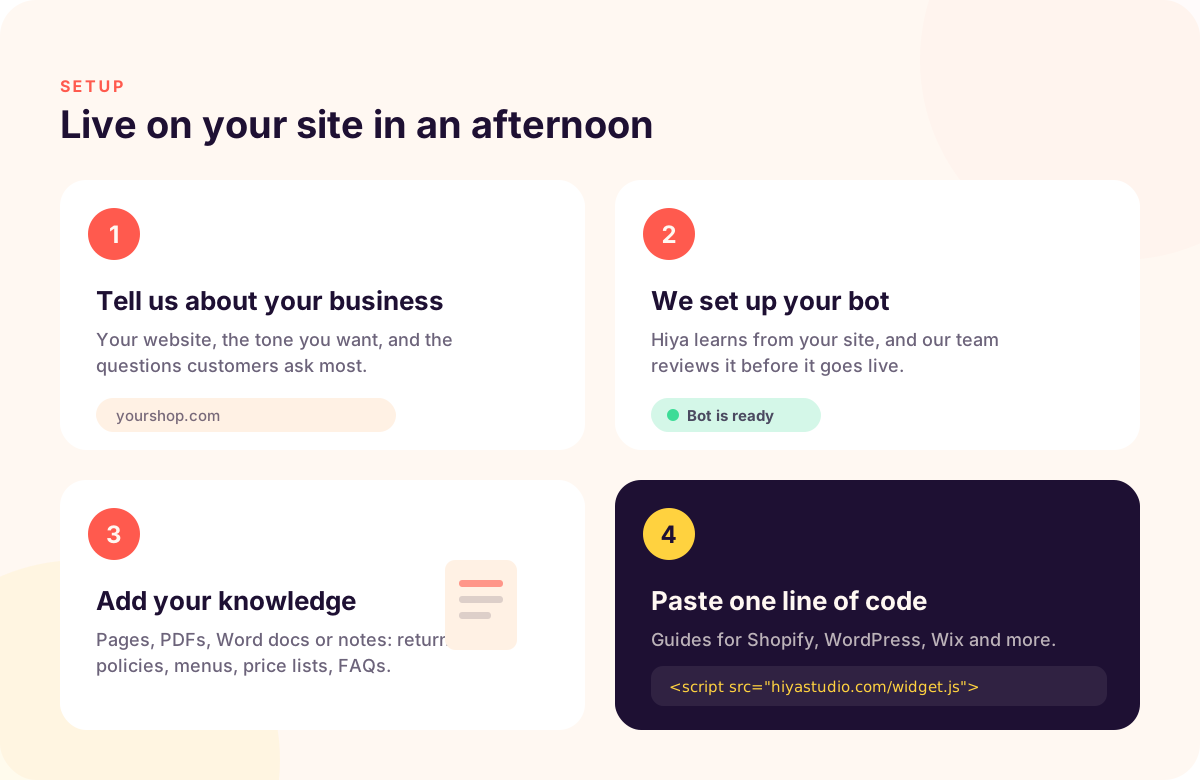
1. Tell it about your business. Enter your website address, pick the tone you want, and list the three questions customers ask most. Hiya reads your site to learn what you offer.
2. Review your bot. We set up your bot from that information. Right now our team reviews each new bot before it goes live, which usually takes a few hours.
3. Add more knowledge. In your dashboard, add any pages, PDFs, Word documents or notes the bot should know about. Return policies, menus, price lists and FAQ documents are great places to start.
4. Install it. Copy one line of code and paste it into your site. Your dashboard has step-by-step instructions for Shopify, WordPress, Wix, Squarespace, BigCommerce, GoDaddy and plain HTML. Your 7-day free trial starts the first time the chat loads on your site, so setup time never eats into it.
5. Test it like a customer. Open your site on your phone and ask the questions your customers ask. If an answer is off, add the missing information and ask again.
Handing off to a human
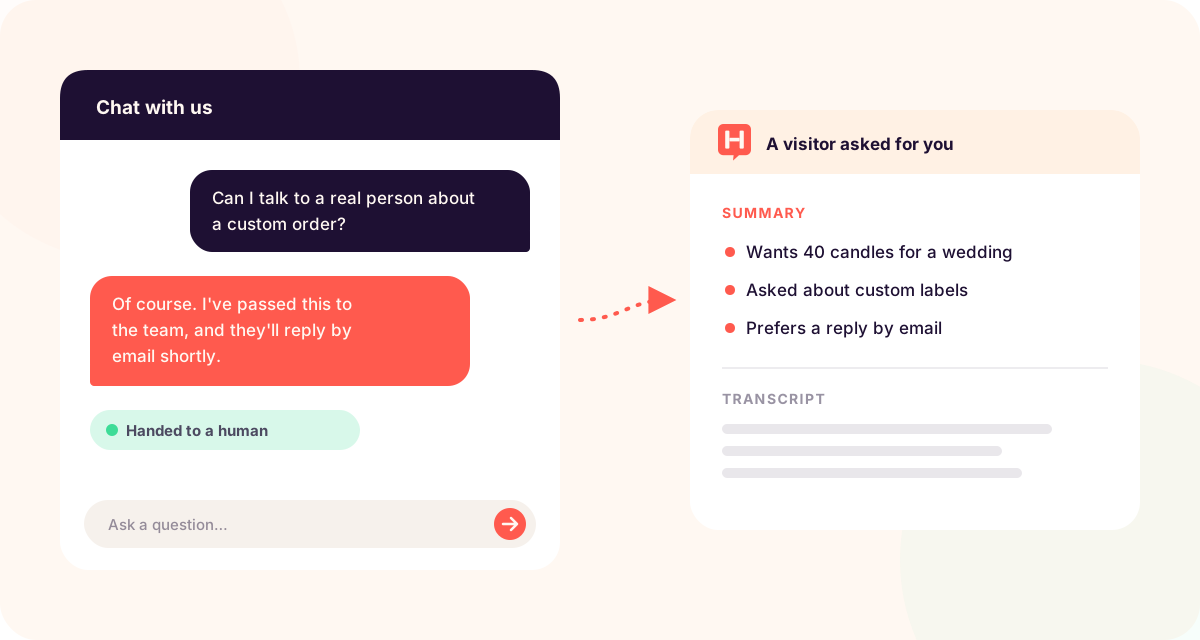
When a visitor asks to talk to a person, Hiya emails you a short summary of the conversation along with the transcript, so you can pick it up without asking them to repeat themselves.
Measuring whether it's working
After the first two weeks, look at three things:
- Conversations per week. Are visitors using it?
- Questions it couldn't answer. Each one is a gap in your website content. Fill them in and the bot gets better.
- Your inbox. Are you answering fewer "what are your hours" emails? That time is the real return.
Mistakes that make chatbots feel robotic
Giving it too little to work with. A bot can only answer from what you give it. If your shipping policy isn't on your site, the bot doesn't know it either.
A generic greeting. "How can I help you?" is fine. "Hi! Looking for a gift? I can help you pick" is better. Match the greeting to why people visit.
Hiding the human option. Visitors trust a bot more when they know they can reach a person. Make the handoff easy.
Never checking the transcripts. Spend ten minutes a week reading what people asked. You will learn more about your customers than from almost any other source.
Overpromising in the bot's instructions. Tell the bot what it should not do: no discounts it can't honor, no guesses about delivery dates you don't control.
Frequently asked questions
Do I need technical skills to add an AI chatbot to my website? No. Most tools, including Hiya, install by pasting one line of code. If you can edit your site's theme or add a script in your website builder, you can install a chatbot.
Will an AI chatbot make things up? A good one answers from your content and says when it doesn't know. Give it complete information, test it with real questions, and check the questions it couldn't answer.
How much should a small business pay for an AI chatbot? Plans built for small businesses typically run from about $25 to $50 a month. Watch for per-seat and per-resolution pricing, which can grow quickly.
Can a chatbot replace my customer service? Not entirely. It takes the repetitive questions off your plate and hands the rest to you, which is usually where the real value is.