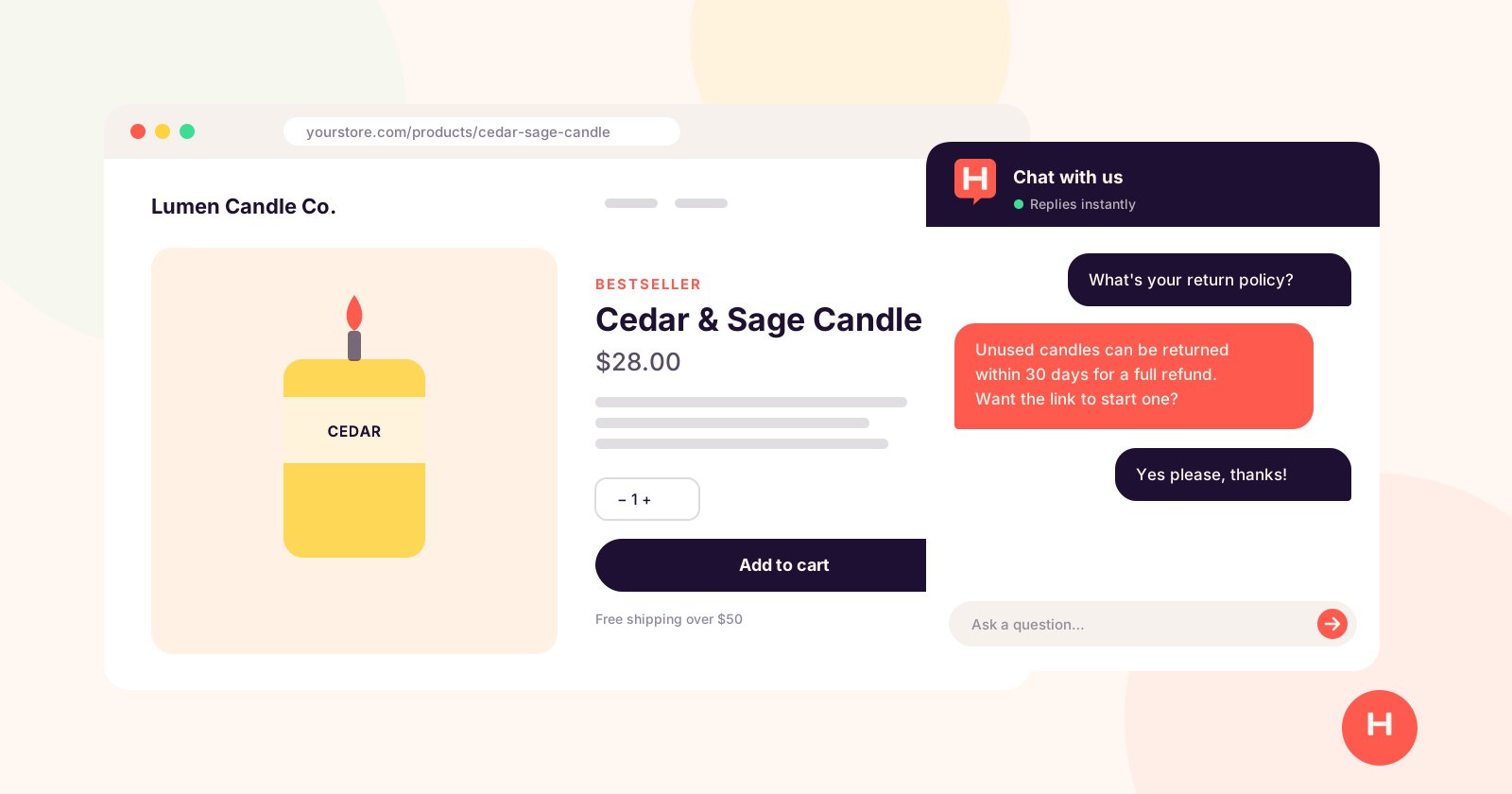
Every Shopify store owner knows the feeling. You wake up to a dozen messages asking "Do you ship to Canada?", "What's your return policy?" or "Where's my order?" These are questions you've already answered on your website, your FAQ page and your product descriptions.
You answer them by hand. Again.
An AI chatbot fixes most of this. It reads your store content and answers shoppers' questions around the clock. But the options for Shopify differ a lot in price, setup and what they're built for.
Quick take: start with a chatbot that learns from your own store content, hands shoppers to you when they ask for a person, and has pricing you can predict. If you have a support team and lots of order questions, look at a helpdesk like Gorgias instead.
What an AI chatbot does for a Shopify store
A good chatbot handles three jobs:
- Answers repeat questions. Shipping, returns, sizing, ingredients, care instructions. Anything you've written down, the bot can answer.
- Helps shoppers decide. "Which scent is best for a bedroom?" A chatbot can point someone to the right product while they're still on the page, instead of letting them leave to think about it.
- Brings you in when it matters. Complaints, custom orders and refund disputes still need a person. A good chatbot recognizes those and hands them over.
It won't replace you. It takes the routine questions off your plate so your time goes to the conversations that need you.
Your Shopify chatbot options compared
Here's how the main choices for a Shopify store compare. Prices are the lowest starting prices on each vendor's site as of October 2026, and some require annual billing, so check before you buy.
| Option | Starting price | How AI is priced | Best for |
|---|---|---|---|
| Hiya | $25/mo for early customers, then $49/mo | Included, up to 3,000 conversations a month | Small stores that want a flat price and AI trained on their own content |
| Shopify Inbox | Free | AI agent included | Stores that want Shopify's own free chat, connected to the catalog |
| Tidio | From about $24/mo | 50 one-time AI conversations on Starter; the Lyro AI add-on starts at $32.50/mo | Stores that want live chat with optional AI |
| Gorgias | From $10/mo (50 tickets) | AI Agent is about $0.90 to $1.00 per automated interaction | Support teams handling lots of order questions |
| Intercom | $29 per seat per month (billed annually) | Fin AI agent costs $0.99 per resolved conversation, on top of seats | Larger stores with a dedicated support team |
What that means in practice:
- Shopify Inbox is the obvious first stop. It's free, it's made by Shopify, and its AI agent connects to your catalog and policies. If it answers your shoppers well, it may be all you need.
- Per-interaction pricing adds up. Gorgias and Intercom are strong products, but every AI answer has a cost. A busy month means a bigger bill. They're built for stores with support teams.
- Flat pricing is easier to plan around. With Hiya, AI is included in one monthly price, up to 3,000 conversations a month.
Where Hiya is different: besides your website, you can teach it from PDFs, Word documents and notes, which is handy for care guides, wholesale terms or anything that isn't on a product page. It shows you the questions it couldn't answer, so you know what to add. And when a shopper asks for a person, it emails you a summary of the conversation so you can pick it up without starting over.
Want the full price comparison? Our 2026 AI chatbot buying guide for small business compares Hiya, Tidio, Intercom, Crisp and Chatbase side by side.
How to pick the right chatbot for your store size
Under $10k a month in revenue: keep it simple. You don't need enterprise features. Look for something that installs fast, learns from your store content, and doesn't need ongoing maintenance. A flat monthly price beats usage-based pricing at this stage.
$10k to $100k a month: handoff starts to matter. Make sure your chatbot tells you right away when a shopper wants a person, with enough context that you can reply without asking them to repeat themselves.
$100k or more a month: at this point you probably have people handling support. Consider a helpdesk with native Shopify order lookup, so the bot can answer "Where's my order?" with a real tracking number. Gorgias, or Intercom with a Shopify integration, makes sense here.
Installing a chatbot on Shopify
Here's how it works with Hiya, start to finish.
- Sign up for the free trial. No credit card needed. Enter your store's address, pick a tone and list the questions shoppers ask most.
- We set up your bot. Hiya reads your store, and our team reviews each new bot before it goes live. That usually takes a few hours.
- Add anything else it should know. Upload your return policy, care guides or FAQ documents in your dashboard.
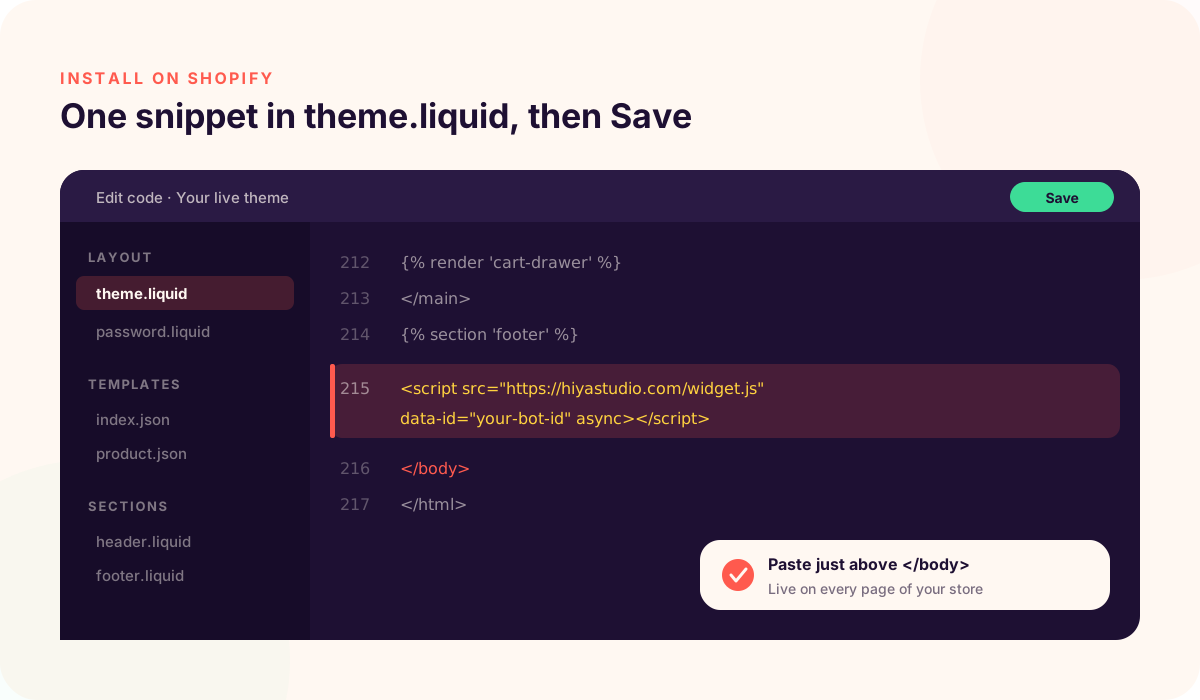
- Paste one snippet into your theme. In your Shopify admin, go to Online Store, click the ••• next to your live theme, and choose Edit code. Open theme.liquid under Layout, paste the snippet just above
</body>, and click Save. - Test it like a shopper. Open your store on your phone and ask your most common questions. If an answer is off, add the missing information and ask again.
Your 7-day free trial starts the first time the chat loads on your store, so setup time never eats into it.
The common mistake is waiting until everything is perfect. Your chatbot doesn't need to know everything on day one. It will handle the common questions right away, and you can improve it as you see what shoppers ask.
Common mistakes Shopify owners make with chatbots
Choosing on features, not fit. A chatbot with 50 integrations you'll never use isn't better than one that does the basics well.
Thin store content. The bot is only as good as what it can learn from. Make sure your FAQ, product descriptions, and shipping and returns pages are written out clearly.
Hiding it. Add a line to your product pages or footer, like "Questions? Ask us in the chat." Shoppers use it more when they know it's there.
Never reading the conversations. Ten minutes a week reading what shoppers asked will tell you which product pages are missing information, and that improves your store as well as your bot.
Picking usage-based pricing too early. If your volume is unpredictable, a flat monthly price protects you from surprise bills.